
About this pick
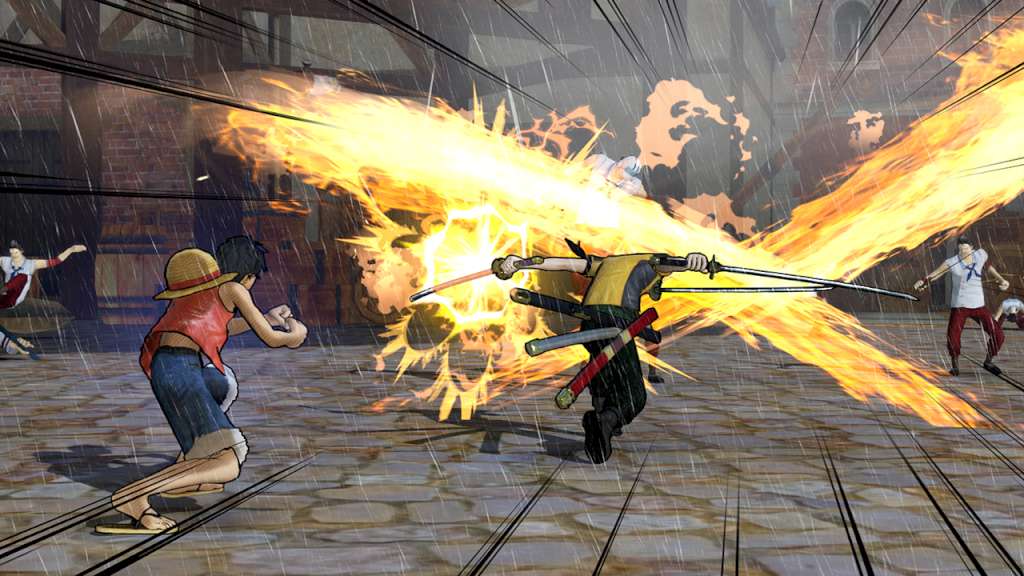
ADVENTURES OF LUFFY AND HIS STRAW HAT CREW ARE COMING TO PC! Enjoy the original story of ONE PIECE from Fuschia village, where everything has started, to the kingdom of Dressrosa, a mysterious island dominated by the evil Donquixote.Doflamingo. Will your resolution be strong enough to defeat the most dangerous pirates, including Doflamingo and many more? Gather every member of the Straw Hat Crew, like in the original story, sail to the most emblematic places and enter the most epic battles: Marineford, Fish-Man Island, Punk Hazard and Dressrosa! Features Higher quality graphics and animation: the One Piece universe has never been depicted so faithfully Number of Popular characters weaving the stories greatly increased: Sabo, Doflamingo, Fujitora and many more! Improved gameplay and incredible new co-op actions More action than ever in the latest installment of the PIRATE WARRIORS series, created by KOEI TECMO GAMES and BANDAI NAMCO Entertainment.
How to activate
"Please remember that we are NOT responsible for any problems that may arise from purchasing and using Steam Gifts. You are doing it at your own risk. "Please note, that due to recent Valve Steam Gift policy update Steam Gifts for games that are covered by VAC ban program can no longer be added to Inventory. Make sure that you are logged in to the proper account before entering the link as Steam Gifts can be only added to your library or rejected. How do I use a Steam gift given to me? If you do not already have Steam, download and install Steam here. Once you have Steam installed, you will be prompted to create an account or login to an existing Steam account. If you do not have an account, please create one. You will receive an e-mail containing a link that will open Steam allowing you to redeem your gift. After clicking the link, you will receive a notification at the top right corner in the Steam client informing that you have a new gift.
More like this
−17%
One Piece Pirate Warriors 3 US PC Steam CD Key
Steam
€5.90 €4.90
−17%
One Piece Pirate Warriors 3 Gold Edition RU/CIS PC Steam CD Key
Steam
€5.90 €4.90
−17%
One Piece Pirate Warriors 3 NA PC Steam CD Key
Steam
€5.90 €4.90
−18%
One Piece Pirate Warriors 4 Steam CD Key
Steam
€10.90 €8.90
−20%
One Piece Pirate Warriors 3 PS4 Account
PlayStation 4
€14.90 €11.90
−19%
One Piece Pirate Warriors 4 XBOX One CD Key
Xbox One
€15.90 €12.90
−21%
One Piece Pirate Warriors 4 TR XBOX One / Xbox Series X|S CD Key
Xbox One
€18.90 €14.90
−19%
One Piece Pirate Warriors 4 EU Nintendo Switch CD Key
Nintendo Switch
€20.90 €16.90